CHEXX App and Mobile Casino: PWA Guide for Kenya
CHEXX offers an installable Progressive Web App, or PWA, through its documented browser installation routes rather than a native gambling app documented in Google Play or Apple’s App Store. The official CHEXX PWA page gives installation routes for Android and iOS, plus Windows and macOS. On mobile, it supports Google Chrome on Android and iOS, Safari on iOS, and Samsung Internet on Android. Once installed, the PWA launches from the home screen and is intended to provide faster access and device notifications.
For Kenyan players, that setup fits a strongly mobile-first betting market, but it also means the safest installation route is the official CHEXX website. There is no reason to hunt for an unofficial APK. Open the official PWA page in a supported browser and use the browser’s Add to Home Screen or installation control.
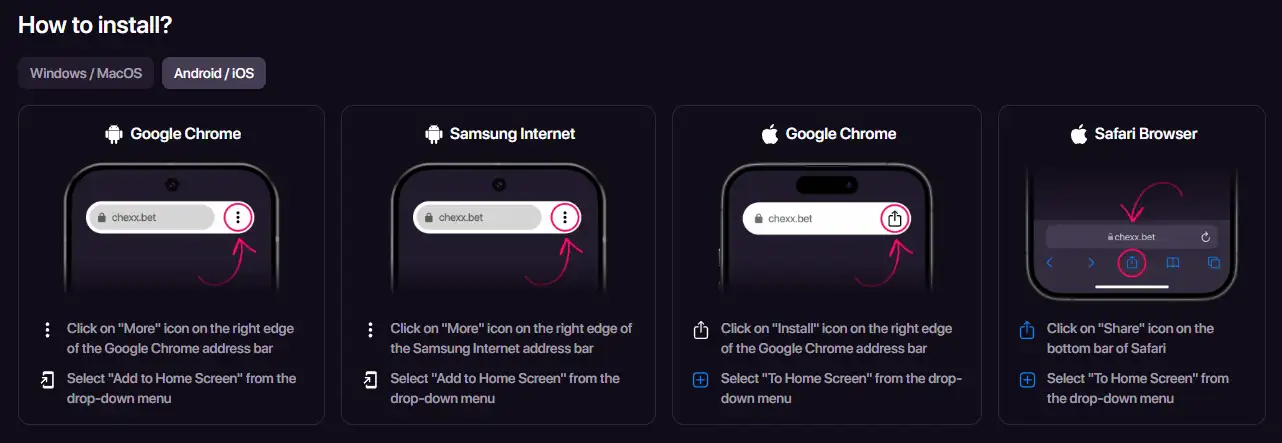
Table of Contents
- Is there a CHEXX app for Android or iPhone?
- How to install the CHEXX PWA on Android
- How to install CHEXX on iPhone
- What can you do in the mobile casino?
- Why the PWA model matters in Kenya
- What changes when CHEXX is installed as a PWA
- Deposits and withdrawals on mobile
- Security checks before installing
- CHEXX mobile verdict for Kenyan players
- References
Is there a CHEXX app for Android or iPhone?
CHEXX’s mobile installation route is a PWA. A Progressive Web App is a website that can be installed to the home screen and opened in an app-like window while still being delivered through the web. It is not the same distribution model as downloading a native Android or iOS gambling application from an app store.
CHEXX’s official installation page currently documents Chrome, Safari and Samsung Internet routes rather than a native CHEXX gambling app in Google Play or the Apple App Store. That distinction matters because search results for casino “apps” can include third-party download sites, wrappers and APK mirrors that are not part of the operator’s documented installation path.
| Device | Browser route | Installation model |
|---|---|---|
| Android | Google Chrome or Samsung Internet | PWA added to the home screen |
| iPhone / iPad | Google Chrome or Safari | PWA added to the home screen |
| Windows | Google Chrome | PWA installation through the browser |
| macOS | Google Chrome or Safari | PWA install or Add to Dock route |
How to install the CHEXX PWA on Android
CHEXX gives two documented Android routes. In Chrome, open chexx.bet, use the browser menu and choose Add to Home Screen. In Samsung Internet, open the site, use the browser’s More menu and select Add to Home Screen. The exact icon position can change with browser updates, so follow the label shown by your current browser rather than relying on an old image from a download site.
- Open the official CHEXX site in Chrome or Samsung Internet.
- Confirm that the address belongs to chexx.bet before entering account credentials.
- Open the browser installation or More menu.
- Select Add to Home Screen or the equivalent install option.
- Launch CHEXX from the new home-screen icon and sign in normally.
This route avoids side-loading an APK. If a page asks you to disable Android security settings to install an unknown package, that is not the installation process documented by CHEXX.
How to install CHEXX on iPhone
On iOS, the official guide currently documents both Chrome and Safari. In Safari, open CHEXX, tap Share and choose the home-screen option. In Chrome, CHEXX describes an Install control followed by adding the site to the home screen. The resulting icon gives direct access to the PWA without relying on an App Store listing.
Apple’s browser interface can change between iOS releases, so the practical principle is more important than the exact button position: start from the official CHEXX site in a supported browser and add the web app from the browser’s own menu. Do not treat an unrelated App Store result with a similar name as proof that it is CHEXX.
What can you do in the mobile casino?
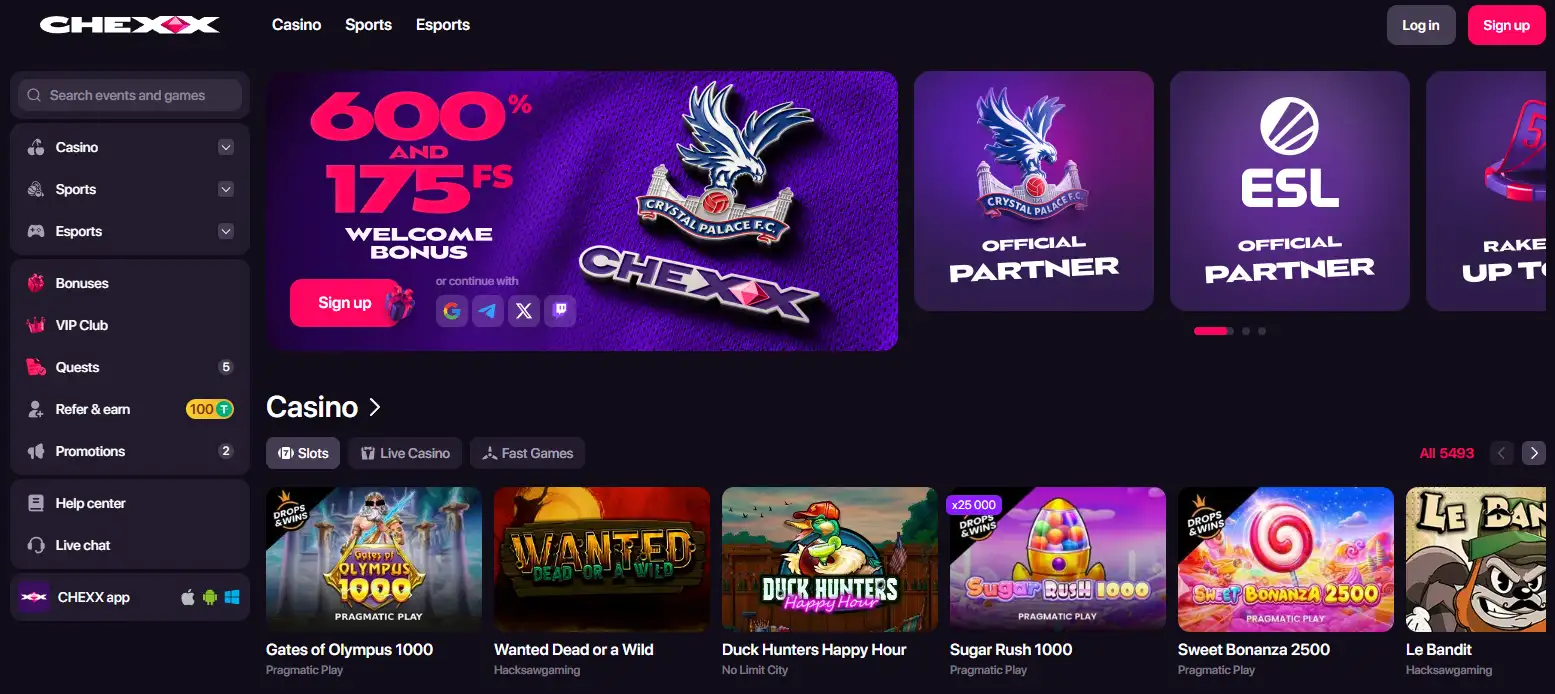
The mobile site and PWA sit on top of the same CHEXX platform. The casino categories include slots, live dealer games and fast or crash games, while CHEXX also operates sportsbook and esports sections. That means the PWA is primarily an access layer, not a separate reduced product with its own independently documented game catalogue.
If your priority is casino content, see the casino games for the broader library and provider analysis. Players interested specifically in dealer-streamed tables can use the live casino on mobile guide. Individual titles can rotate or vary by session, so a current lobby check is more useful than assuming every named game is permanently available.
Why the PWA model matters in Kenya
Kenya is a highly mobile-led betting market. GeoPoll’s 2026 bettor sample found that 96% of respondents used mobile devices for betting. That survey is not a nationally weighted census, but it reinforces why mobile usability is a practical rather than cosmetic issue for a Kenya-facing review.
A PWA has one obvious advantage in that context: it can put the casino on the home screen without depending on gambling-app availability in a particular app store. It can also reduce the friction of repeatedly navigating through a mobile browser bookmark. The trade-off is that updates, permissions and installation behavior remain tied to the browser and operating system rather than to a conventional app-store package.

Practical fit
If you already use Chrome, Safari or Samsung Internet, CHEXX’s mobile route is straightforward. If you specifically require a native App Store or Google Play gambling app, CHEXX’s current mobile instructions instead describe browser-based PWA installation.
What changes when CHEXX is installed as a PWA
The installation changes how you launch CHEXX, not the underlying account or casino rules. The official PWA page describes home-screen access and device notifications, while the casino, sportsbook and account functions remain part of the same web-based CHEXX service. That means installing the PWA does not create a second account, a separate mobile bonus balance or a different cashier. Your login, verification status and payment requirements remain tied to the same CHEXX account.
This distinction is useful when comparing the PWA with a native store app. A native app is distributed as an application package through an app store; CHEXX’s PWA route is installed from the official site through Chrome, Safari or Samsung Internet. The browser and operating system therefore control the installation surface and permissions. If a browser update moves the install button, the correct response is to use the current browser menu on chexx.bet, not to search for an APK or an unrelated app-store listing.
What stays the same after installation
- The same CHEXX account credentials are used to sign in.
- The available casino categories still come from the current CHEXX lobby.
- Crypto payment and withdrawal requirements do not become M-Pesa or KES rails because the site is on the home screen.
- KYC and account rules remain account-level requirements rather than app-specific rules.
For a Kenyan user, this is the main practical value of the PWA: quicker access without changing the product’s underlying limitations. It solves the question of how to put CHEXX on a phone home screen, but it does not solve separate questions about local payment compatibility, current game availability or regulatory status.
Deposits and withdrawals on mobile
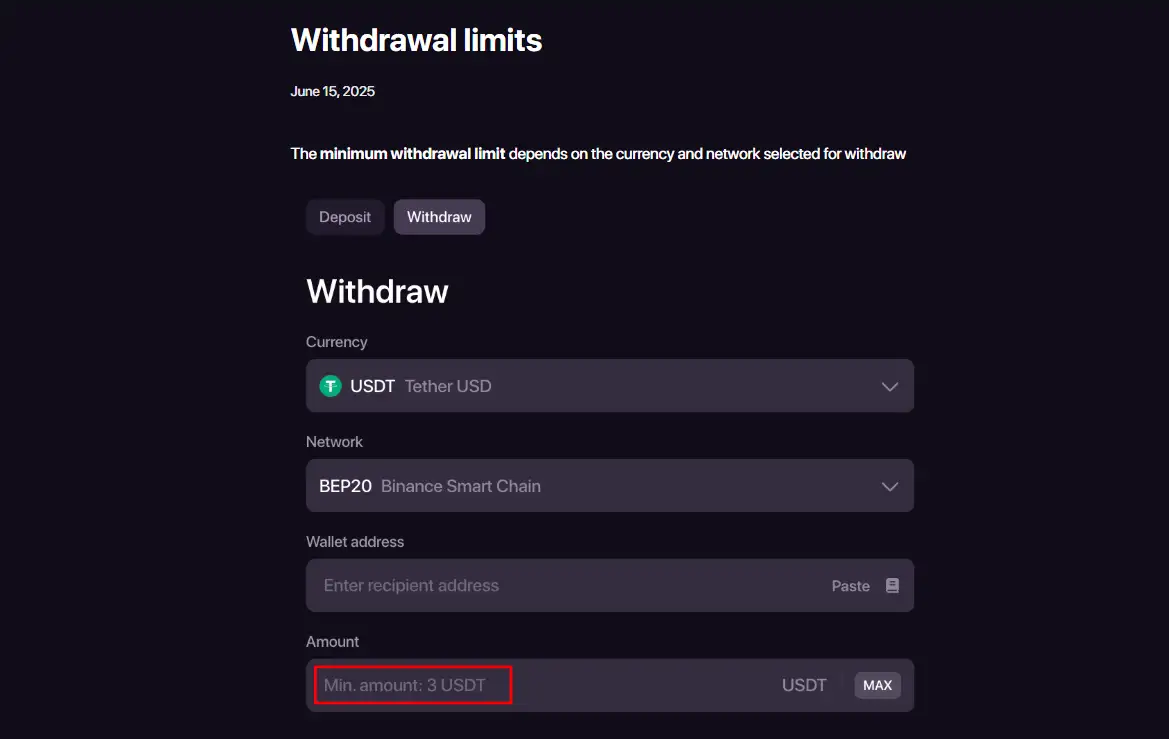
Using the PWA does not change CHEXX’s underlying payment model. The cashier is crypto-first, with cryptocurrency deposits and withdrawals rather than a listed direct M-Pesa or KES deposit rail. A mobile user therefore still needs to manage a compatible crypto wallet, choose the correct blockchain and keep enough attention on addresses and network selection to avoid transfer errors.
The CHEXX payment methods page explains that gap in more detail. The important mobile-specific point is that a convenient home-screen icon does not turn CHEXX into a Kenya-local mobile-money product. Installation convenience and payment localization are separate questions.
Security checks before installing
- Start from the official domain. Type or verify chexx.bet before installing the PWA.
- Avoid APK mirrors. CHEXX’s Android route uses the browser, so a third-party APK is unnecessary for the normal setup.
- Use your browser’s own install control. Do not grant unusual device permissions merely to create a home-screen shortcut.
- Protect login credentials. A PWA icon is convenient, but the underlying account still needs a strong password and secure device access.
- Check the URL after redirects. Do this before entering credentials, especially if you arrived through a search ad or third-party review.
These checks are more useful than assuming “app” automatically means safer. The important safety check is using the official CHEXX domain and the browser-controlled install process.
CHEXX mobile verdict for Kenyan players
CHEXX’s mobile proposition is clear once the terminology is separated: there is a documented installable PWA, and it works through common Android and iOS browsers. That is enough for a home-screen, app-like route without requiring a native store download.
For a Kenyan player, the strongest case for the PWA is convenience on a market where mobile access dominates. The main limitation is not the browser route itself but the wider product fit: payments remain crypto-first, and CHEXX does not currently document a native store app or a Kenya-local mobile-money cashier. Return to the CHEXX Kenya review if you want to weigh mobile access against bonuses, payments, KYC and licensing in one decision.
References
- CHEXX PWA installation page – current official instructions for Chrome, Safari and Samsung Internet on supported platforms.
- CHEXX mobile site – current operator mobile experience and casino/sports access.
The full picture is in our CHEXX review for Kenya.
An account comes first: registration and KYC.
 Book of DeadPlay'n GO
 Hot Hot FruitHabanero
 CleopatraIGT
 GemonexBetixon
 Beef Up the Bonus Power ComboHigh Limit Studio
 Lollipop Drop MultiMaxBulletproof Games
 Rich WorldAmusnet
 Sugar RushPragmatic Play
 Mystic Fortune DeluxeHabanero
 Romance VFugaso
 Trojan KingdomJust For The Win
 Hot Hot BalloonsArmadillo Studios
 Sweet BonbonellaSwintt
 StarburstNetEnt
 European BlackjackMultihand
 Atlantic City BlackjackClassic
 Perfect Pairs BlackjackSide Bet
 Double Exposure BlackjackDouble Exposure
 Quantum Blackjack PlusMultiplier
 VIP American BlackjackVIP
 American BlackjackClassic
 Classic BlackjackClassic
 Vegas Downtown Blackjack GoldGold Series
 Blackjack Lucky LadiesSide Bet
 Turbo BlackjackFast-play
 Multihand BlackjackMultihand
 Single Deck Blackjack GoldSingle Deck
 Blackjack 21 ClassicClassic
 Ultimate Blackjack with RachaelLive-style
 French RouletteNetEnt
 Mini Roulette 3DMini
 Double Ball American RouletteDouble Ball
 Monopoly Roulette TycoonThemed
 Immortal Romance RouletteThemed
 Mega Fire Blaze RouletteMultiplier
 Who Wants to Be a Millionaire RouletteThemed
 Lucky RouletteClassic
 Quantum RouletteMultiplier
 Auto RouletteSwitch Studios
 European RouletteClassic
 Multifire RouletteMultiplier
 RouletteRelax Gaming
 American RouletteClassic